Free & Open Source

For people who read papers, take notes, and write reviews

Read, ask, and organize notes inside Zotero.

AIdea is a free and open-source project. It keeps chat, passage grounding, full-document translation, multi-provider access, and local memory inside Zotero so you can stay with your library instead of juggling browser tabs.

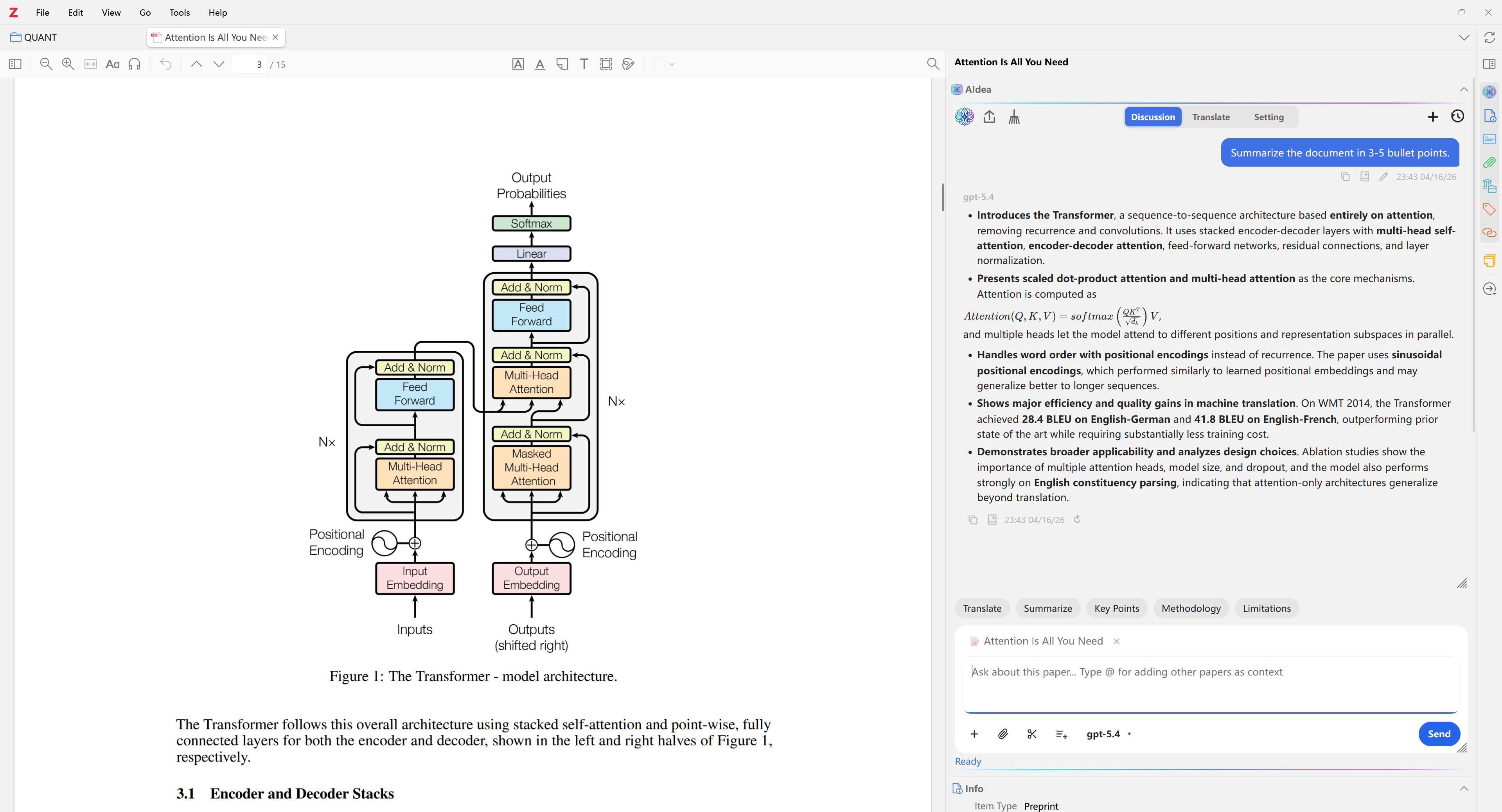
Ask, capture context, and keep notes attached to the current item.
Pricing Free & open
Storage Local-first
Surfaces Library + PDF

Model Access

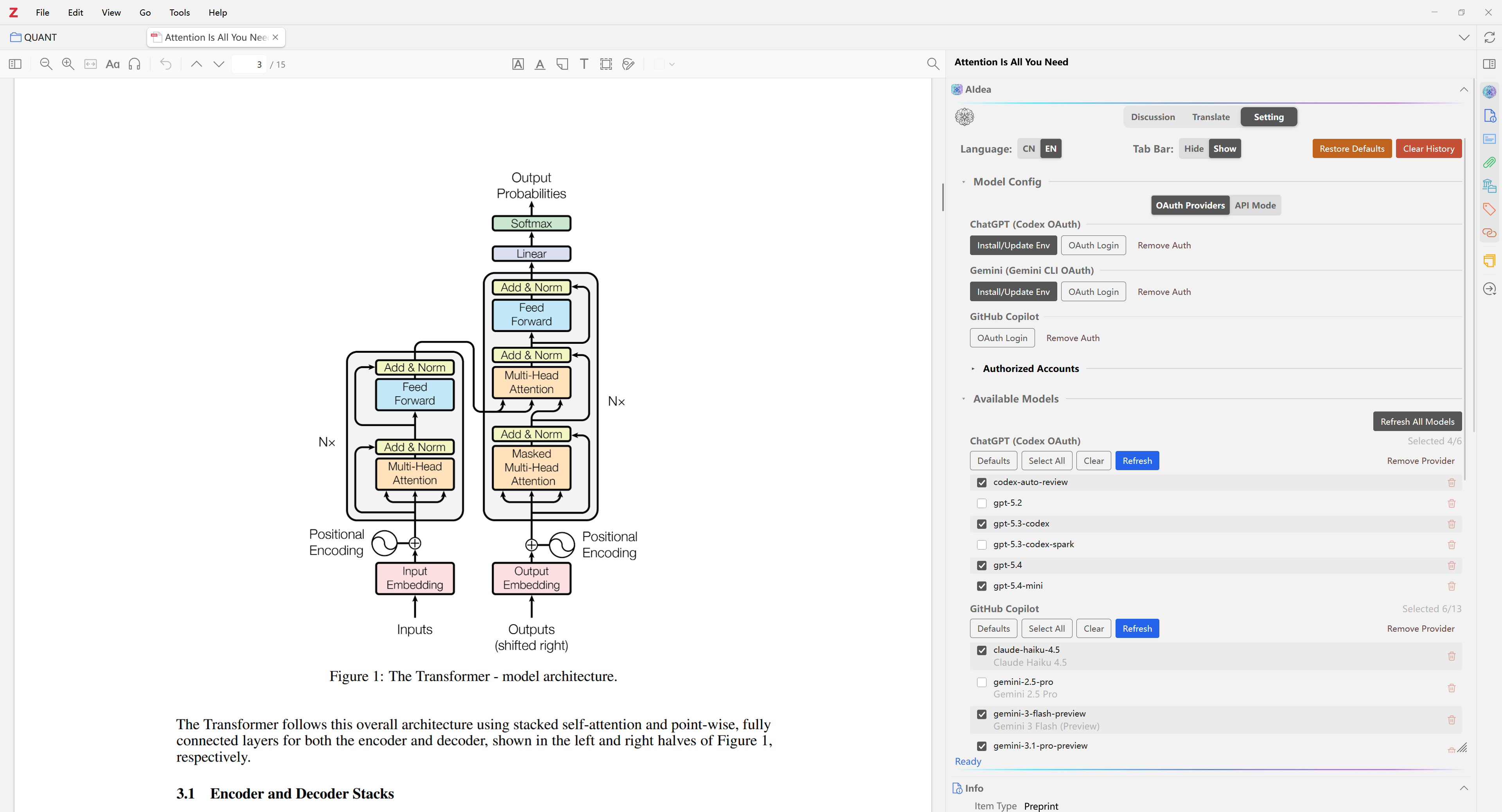
Connect a model and start chatting

AIdea supports both OAuth sign-in and API / local model access, so you can choose the setup that fits your workflow.

You can switch connection methods later from the plugin settings.

OAuth Recommended

Sign in with a provider account and start after authorization

No manual API key entry is needed, which makes this the simplest path for most users.

  • Authorize from the provider
  • Keep the authorization state locally
  • Works well for OpenAI, Gemini, GitHub Copilot, and similar services
API / Local Models Flexible

Enter an endpoint and model name to use your own model service

Add an API key when your service requires one, and connect cloud APIs, self-hosted endpoints, or local model servers.

  • Supports OpenAI-compatible APIs
  • Custom endpoint and model name
  • Fits Ollama, LM Studio, vLLM, and other local setups

Open Source

A research plugin built for ongoing use.

Free, open, and easy to inspect

The code, docs, and releases live in a public repository, so people can install it, inspect it, report issues, and improve it over time.

Designed around the reading flow

Asking, summarizing, translating, and note export stay in Zotero's side panel instead of bouncing across external chat tabs.

Local-first for data and memory

Chat history, memory, and auth state are stored locally first, and the plugin is not built around collecting platform user data.

Use Cases

Built around real reading, excerpting, and organizing work.

AIdea is for people who read closely, excerpt passages, compare sources, and keep notes as they go. Ask in the side panel, attach exact PDF passages, write useful results back into notes, and move into full-document translation when needed.

  • The same side panel works in both the library view and the PDF reader.
  • Selected PDF text can become explicit context for answers that stay closer to the source.
  • Useful output can be saved back into Zotero instead of disappearing into one-off chat history.
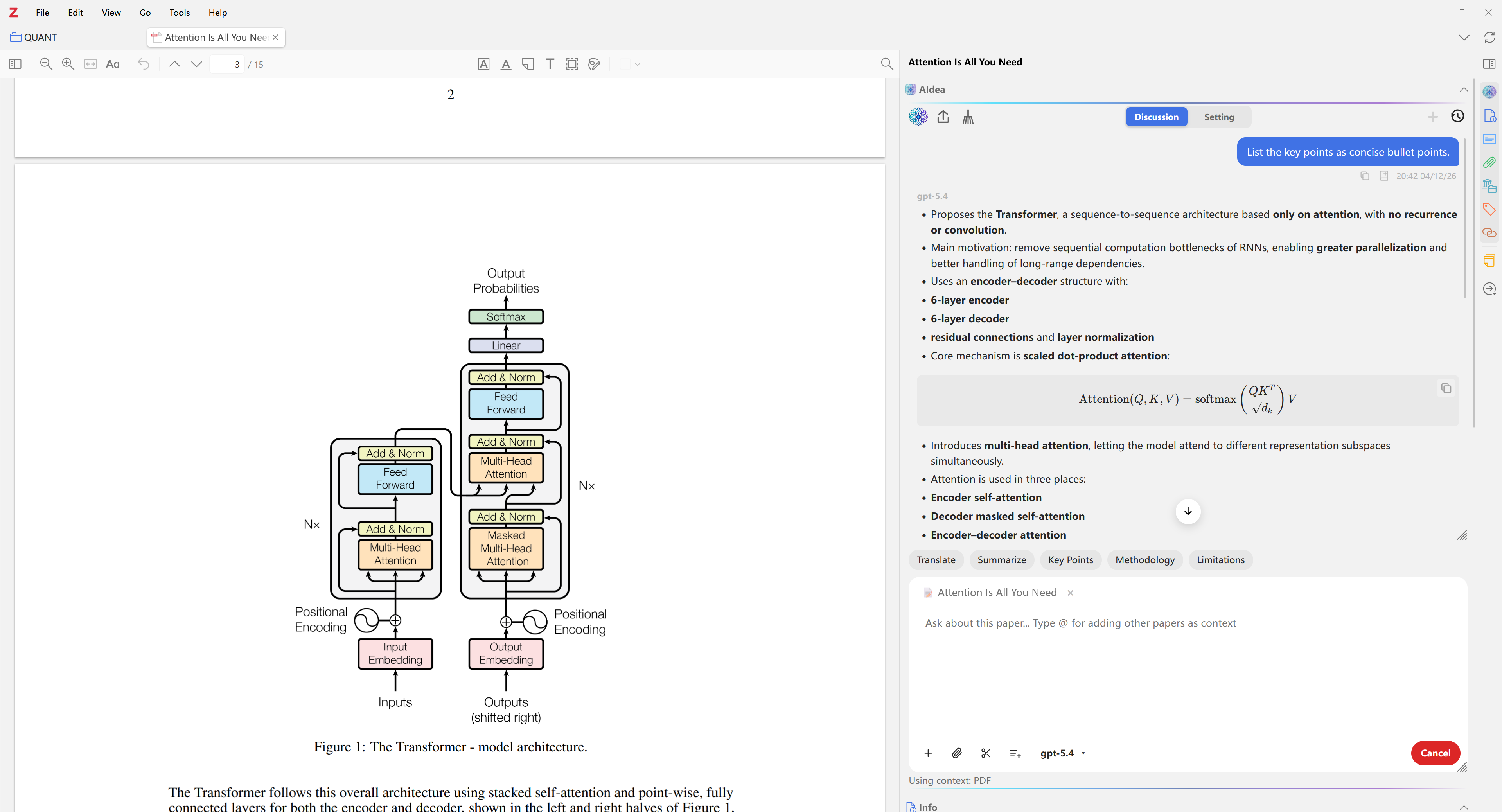
Side-panel workflow

Ask, capture context, and keep notes attached to the current item.

Ask, capture context, and keep notes attached to the current item.
Models and providers

Sign in, switch models, or configure compatible endpoints in one place.

Models and providers

Common Tasks

Covers the tasks that come up most often while reading papers.

AIdea focuses on the parts of the workflow Zotero users come back to most often: asking against the source text, switching models, translating full papers, and saving useful output back into notes.

Get started quickly

Get started before doing heavy setup

OpenAI, Gemini, and GitHub Copilot can be used through OAuth, and compatible APIs can be added when you want more control.

Stay grounded in the paper

Ask against the paper itself

Selected PDF passages can be attached directly to the context so answers stay grounded in the source instead of drifting into vague summaries.

Useful for whole papers

Keep going when the task becomes a full translation

Export bilingual or mono-language PDFs when you need to read through an entire paper without losing layout structure.

Keep provider choice open

Multi-provider routing

Beyond built-in providers, users can connect Ollama, LM Studio, OpenRouter, and other compatible endpoints.

Better for ongoing projects

Local chat history and memory

Conversations and long-lived memory stay in Zotero's local database, which fits ongoing research projects better.

Save useful output

Save useful output back into Zotero

Markdown, code blocks, tables, and LaTeX math can be written back into Zotero with much of their structure intact.

Selection Translation

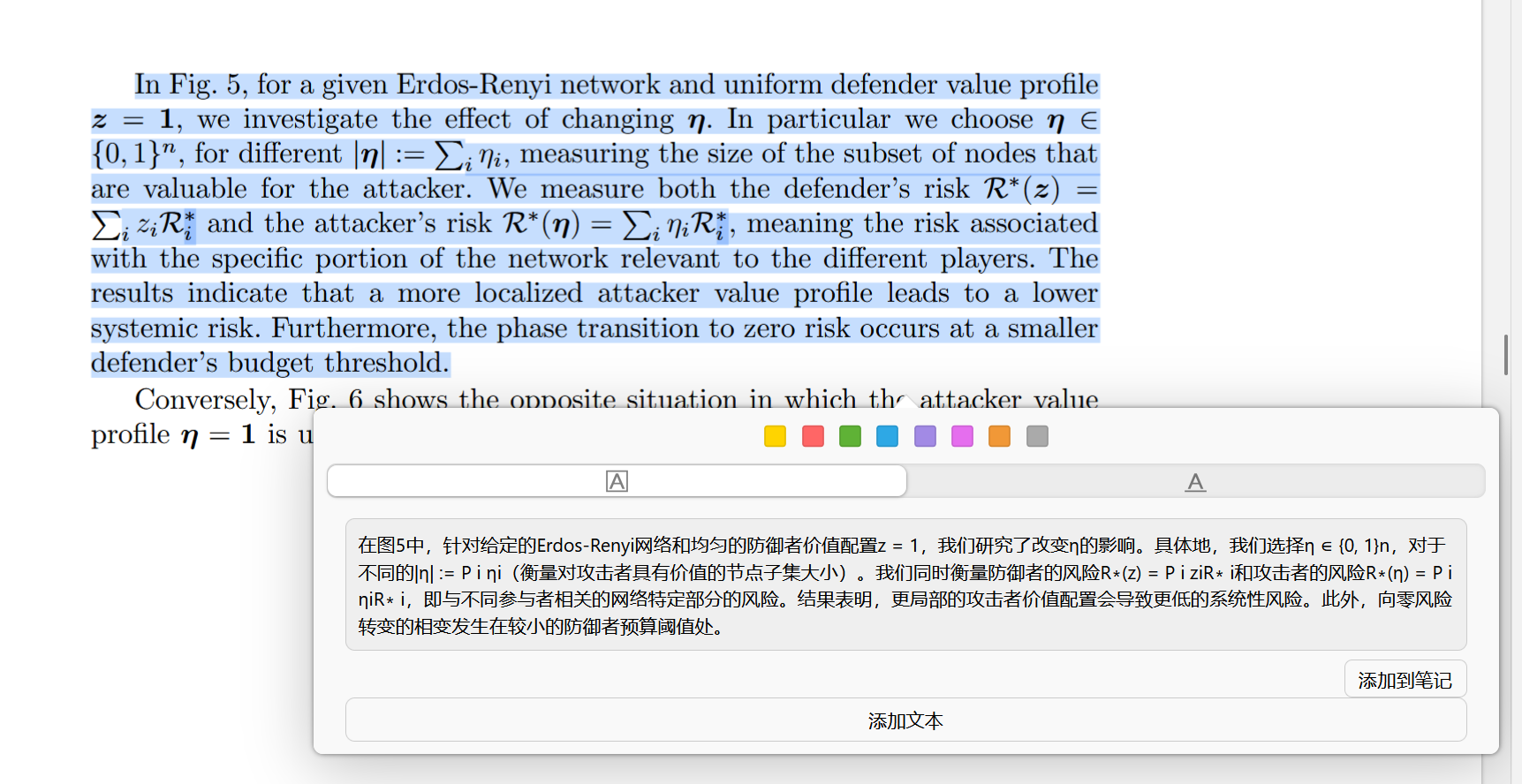
Select a passage and translate it directly in the reader.

When enabled, selected text in Zotero's PDF reader is translated automatically with the model you choose. The first time a paper uses this feature, AIdea builds a local cold-start cache with a compact paper summary and terminology notes, then reuses that context for later selections.

Selection Translation

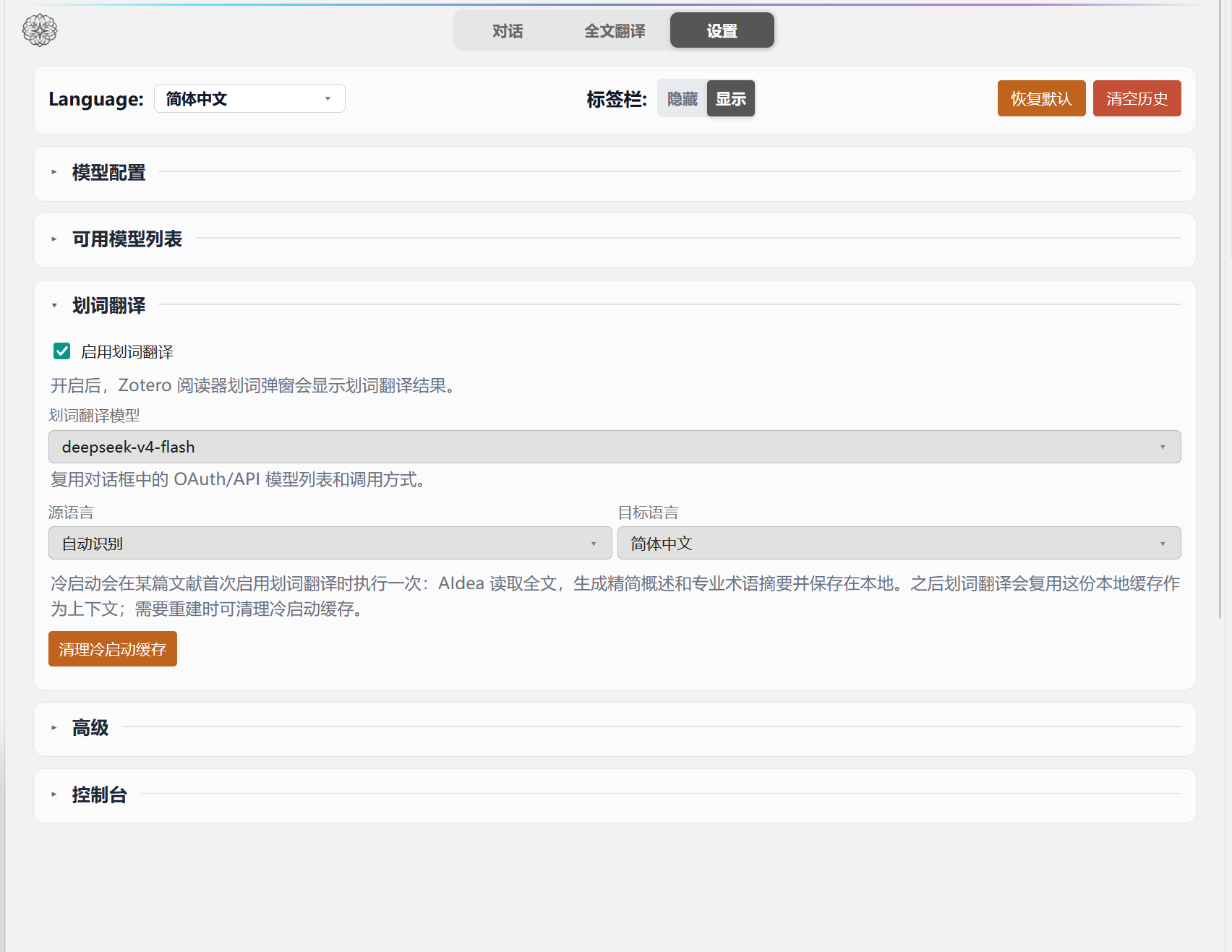
Dedicated switch and model

Turn selection translation on separately and choose its model from the same OAuth/API model list used by chat.

Selection Translation

Paper-level context

The cold-start cache stays local and gives later selection translations a compact view of the paper instead of starting from scratch every time.

Selection Translation

Save back to Zotero notes

Translated passages can be added directly to the current item's AIdea selection translation note.

Reader selection translation popup
Selection translation settings

Translation

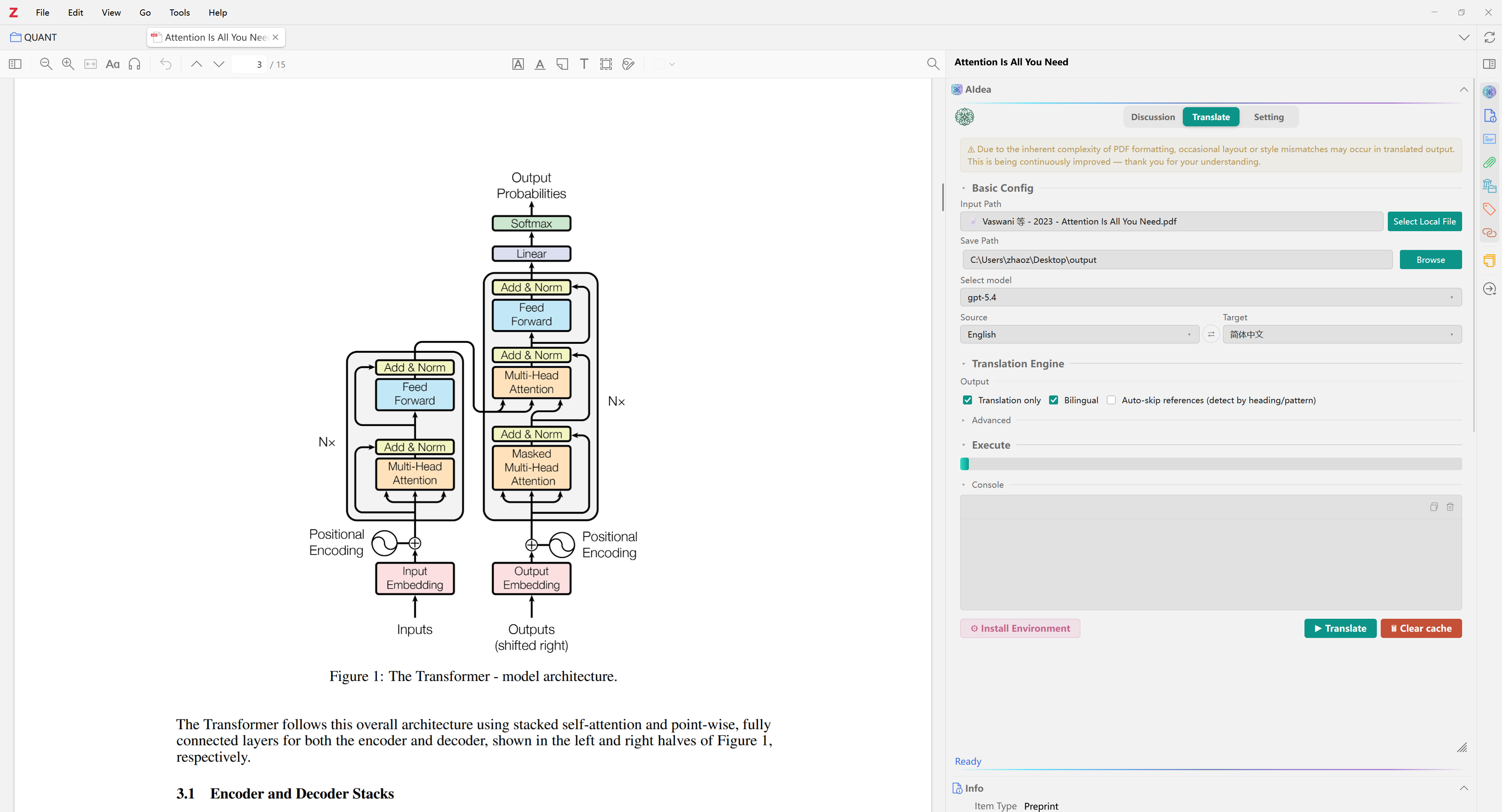
Full-paper translation can stay inside Zotero.

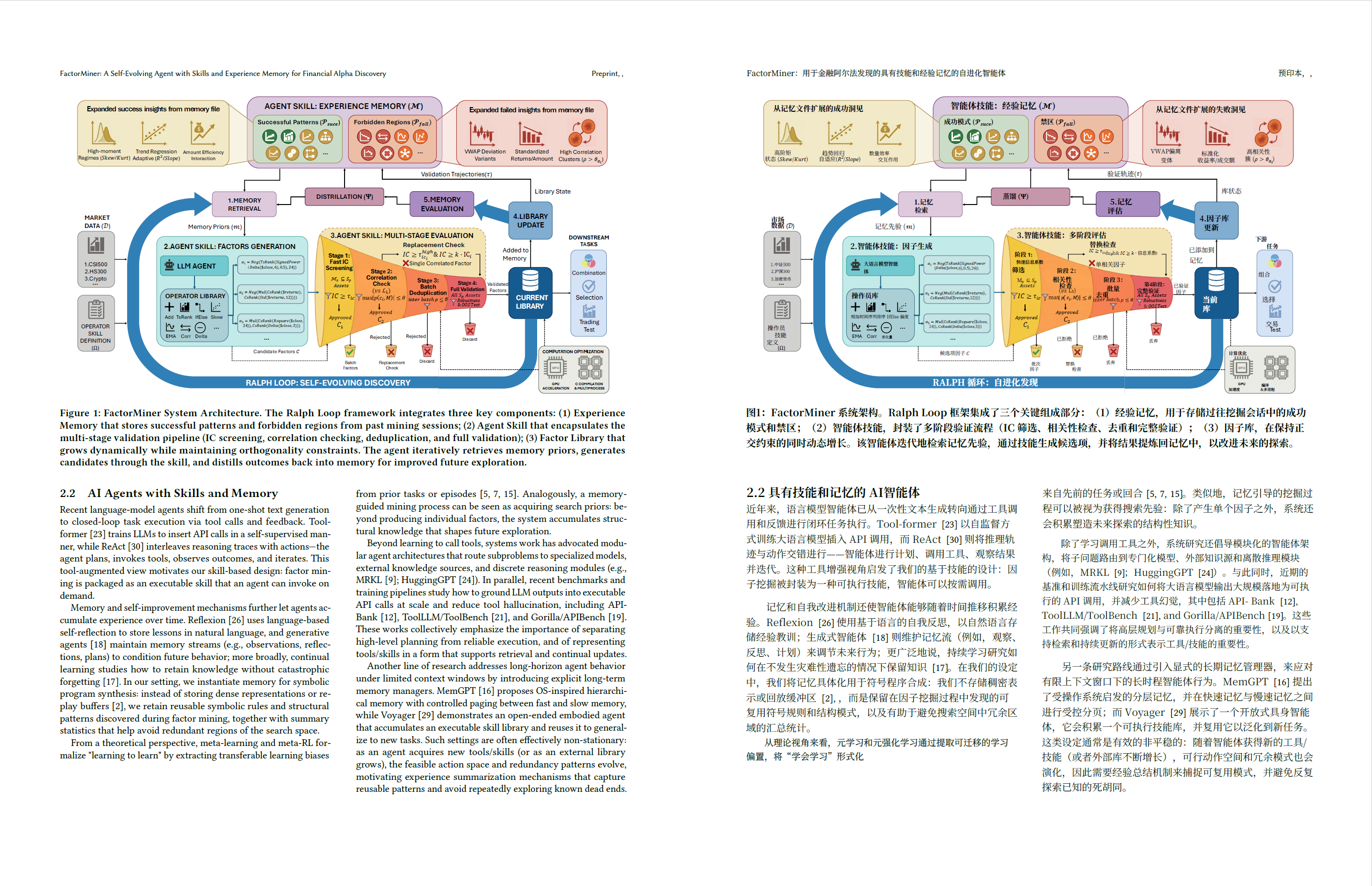
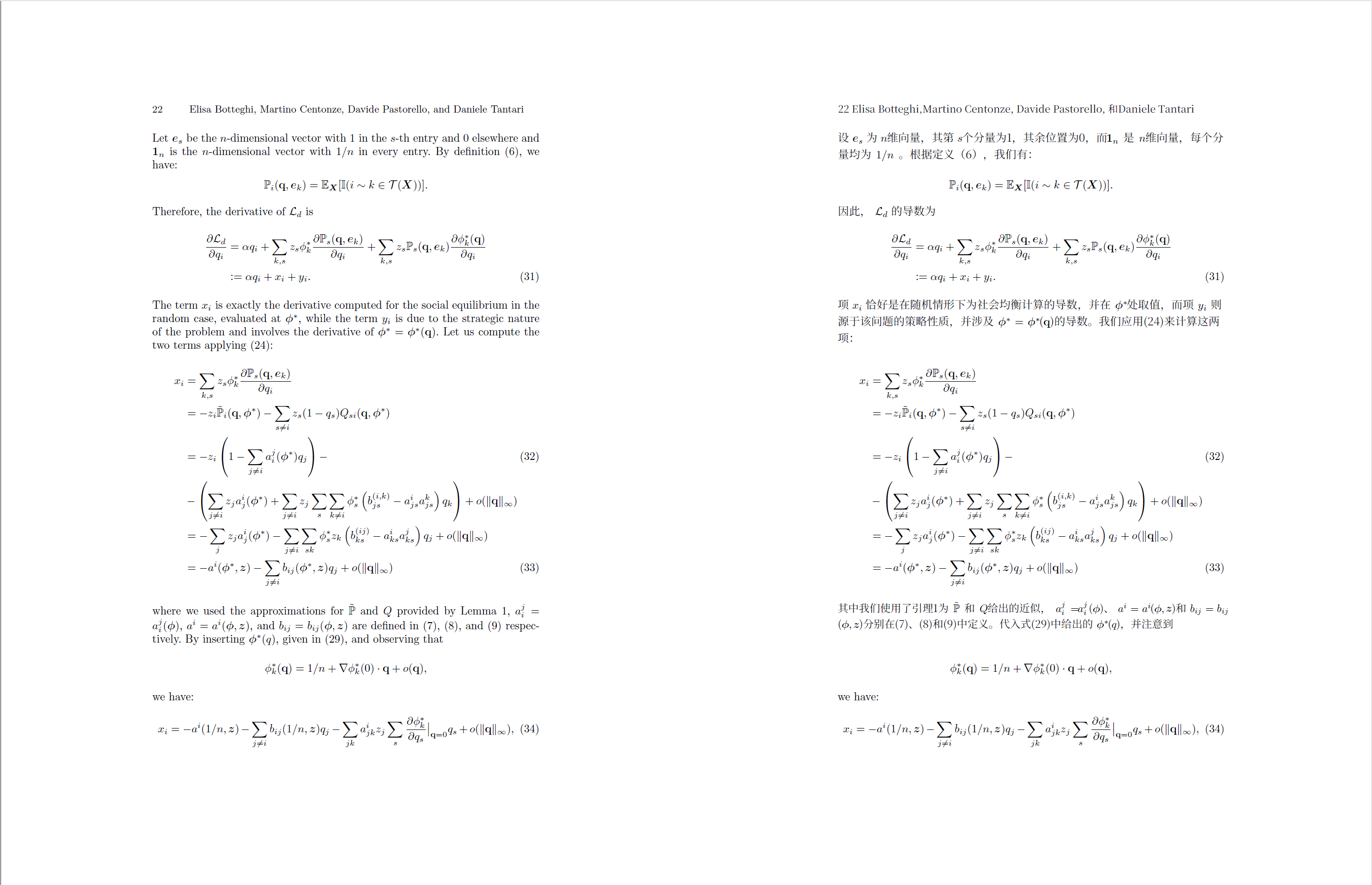
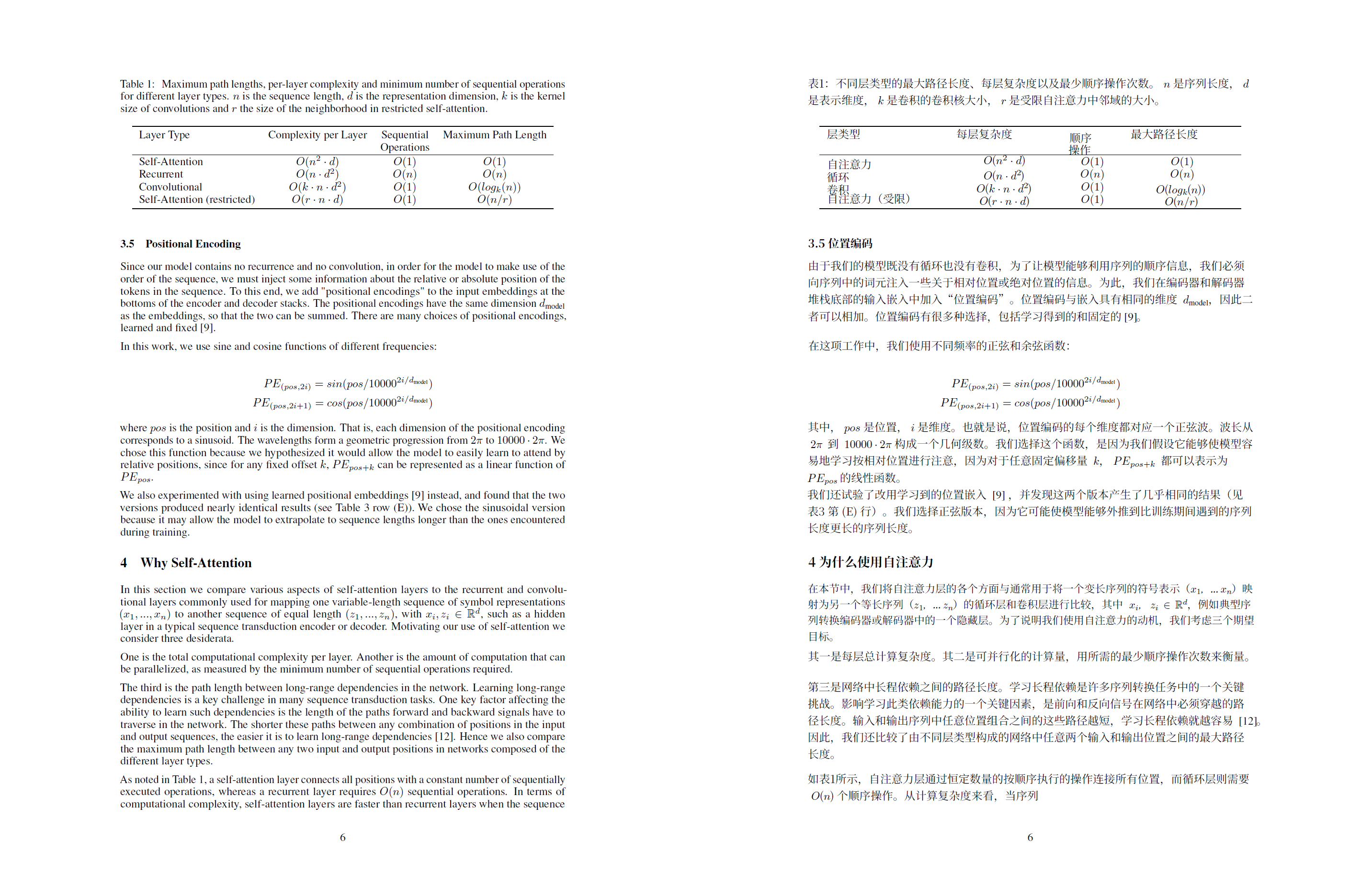
The translation panel is aimed at the pages that are actually difficult in academic papers, including diagrams, formulas, and tables. The gallery below shows real outputs already present in the repository, not marketing mockups.

Full document translation panel

Install

Install it in a few steps and start using it.

AIdea is distributed through GitHub Releases as an `.xpi`. Download it, install it from file in Zotero, and start using it. The project is free and open source.

If you want to inspect the implementation, report a problem, or contribute improvements, everything is available in the GitHub repository.

  1. Download the latest `.xpi` from GitHub Releases.
  2. Choose “Install Add-on From File” in Zotero's add-on interface.
  3. Restart Zotero and open AIdea from the Library or PDF Reader side panel.